AI Agent Usage Limits: How to Avoid Them
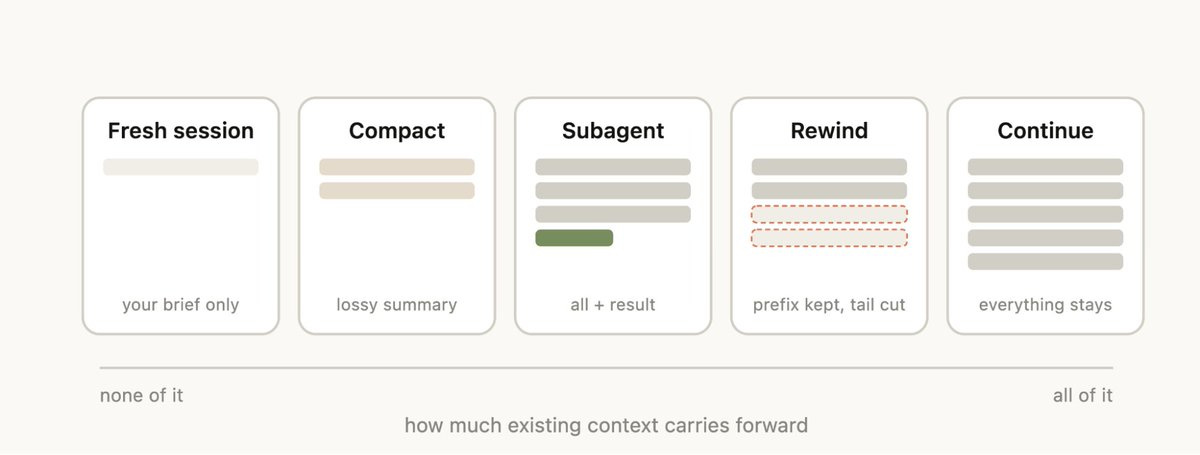
AI agents have usage limits (tokens, iterations, budget, context window). They are normal, but you can push them back with good session hygiene and a few simple technical choices.
Why You Hit the Limits
- Cache misses: switching models or tools too often invalidates the cache.
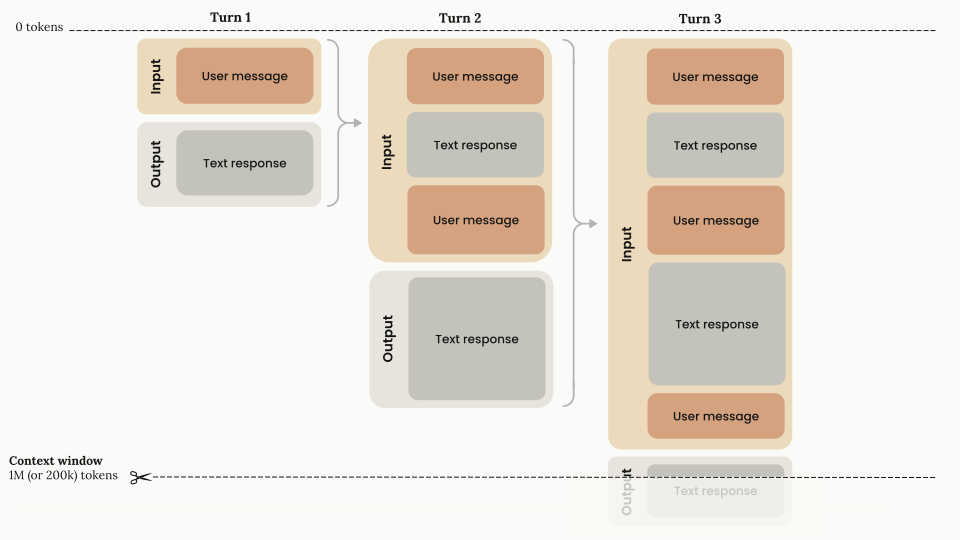
- Context bloat: too many files reread, too much unnecessary history.
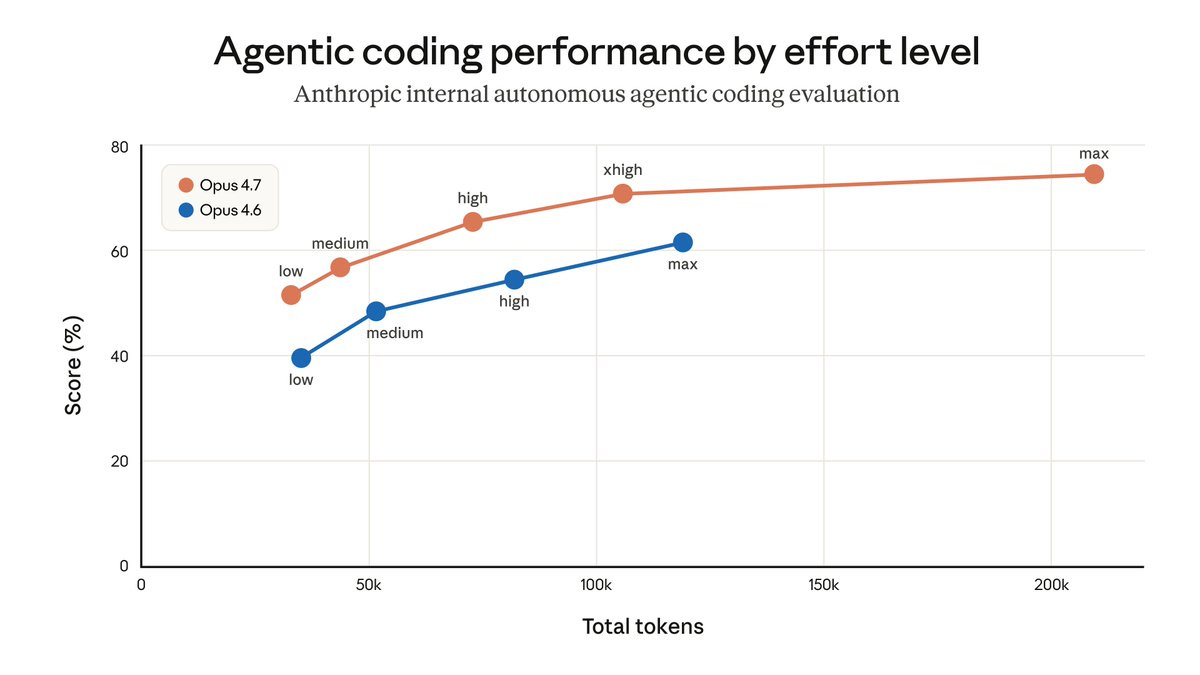
- Wrong effort: using a large model for a grep or formatting task.
- Bad input format: unoptimized images/PDFs burn tokens.
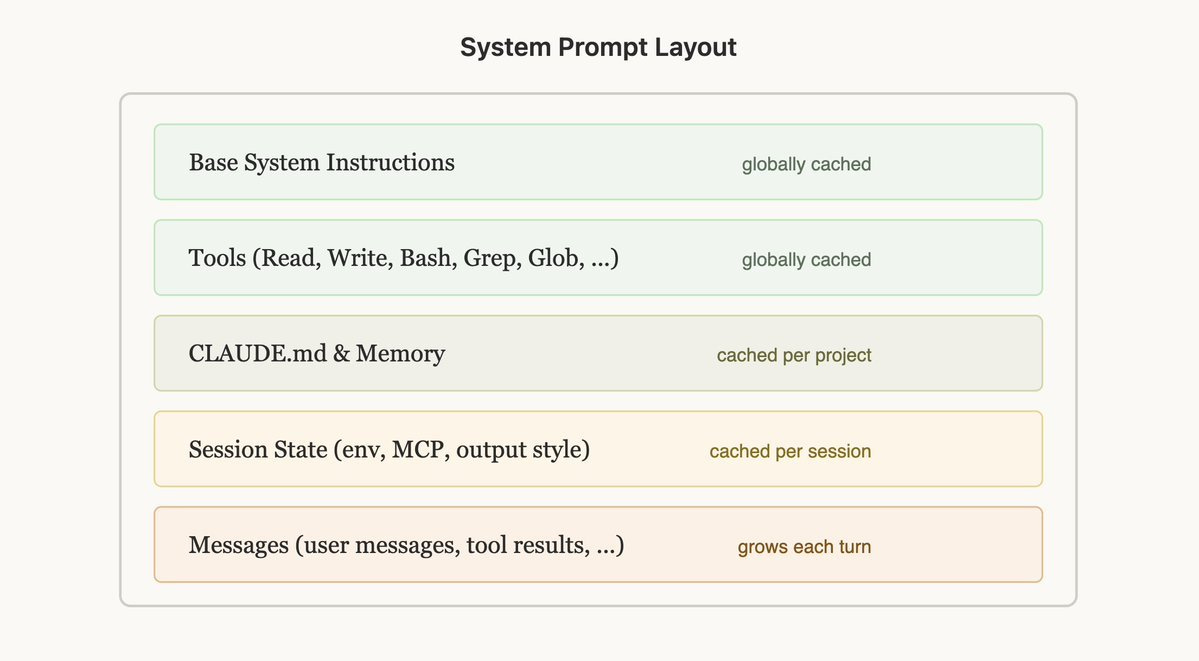
The Real Lever: Protect the Cached Prefix
- Choose tools/MCP at the start and stick with them.
- Choose the model at the start and do not change
/modelmid-session. - Keep
AGENTS.md/CLAUDE.mdshort. - Move the details into
MATH.md,TESTING.md,SKILL.md.
Session Hygiene: 6 Simple Habits
/clearbetween topics to avoid stacking context./compactafter a task (or around 50-80% of the context)./rewindif the session goes bad instead of continuing to patch it.- Sub-agents for large reads, logs, PDFs, and file search.
- Do not reread the whole repo for every request: point to the right folder/file.
- Split tasks up: one clear action per message.
Choose the Right Model for the Right Task
- Small model: grep, renaming, formatting.
- Medium model: local exploration, tests, short synthesis.
- Large model: architecture, tradeoffs, long-term decisions.
Bad Format = Burned Tokens
- Web: prefer text / the accessibility tree over screenshots.
- PDF: extract the text (
pdftotext) before sending images. - Large repo: start from a map or graph rather than reading everything.
TL;DR
- Fix the model and tools at the start.
- Keep the context light.
- Clean up sessions.
- Use the right model at the right time.
- Optimize the source format.